
Full Stack Developer at Botpress
Working at Botpress
I built Botpress's Jira integration and Topic Insights, the conversation analytics in Botpress Desk, and moved its AI jobs onto a queue.
- Type
- Professional Experience
- Timeline
- April to May 2026
- Stack
 TypeScript
 Zod
 LLMz
 Next.js
 Prisma
 QStash
 Tilt
- Jira integration
- 17 action cards and an OAuth setup wizard, shipped in five days
- Topic Insights
- Schema, cron jobs, AI flows, API and UI, built end to end
- Queueing
- AI jobs moved onto QStash: no duplicate runs, failed jobs retried
The platform
Agents built in Studio, wired to tools by integrations
Botpress is a platform for building AI agents. In Botpress Studio, you write the agent's instructions in an autonomous node and then hand it tools: search a knowledge base, read a table, pass the conversation to a human in Desk.
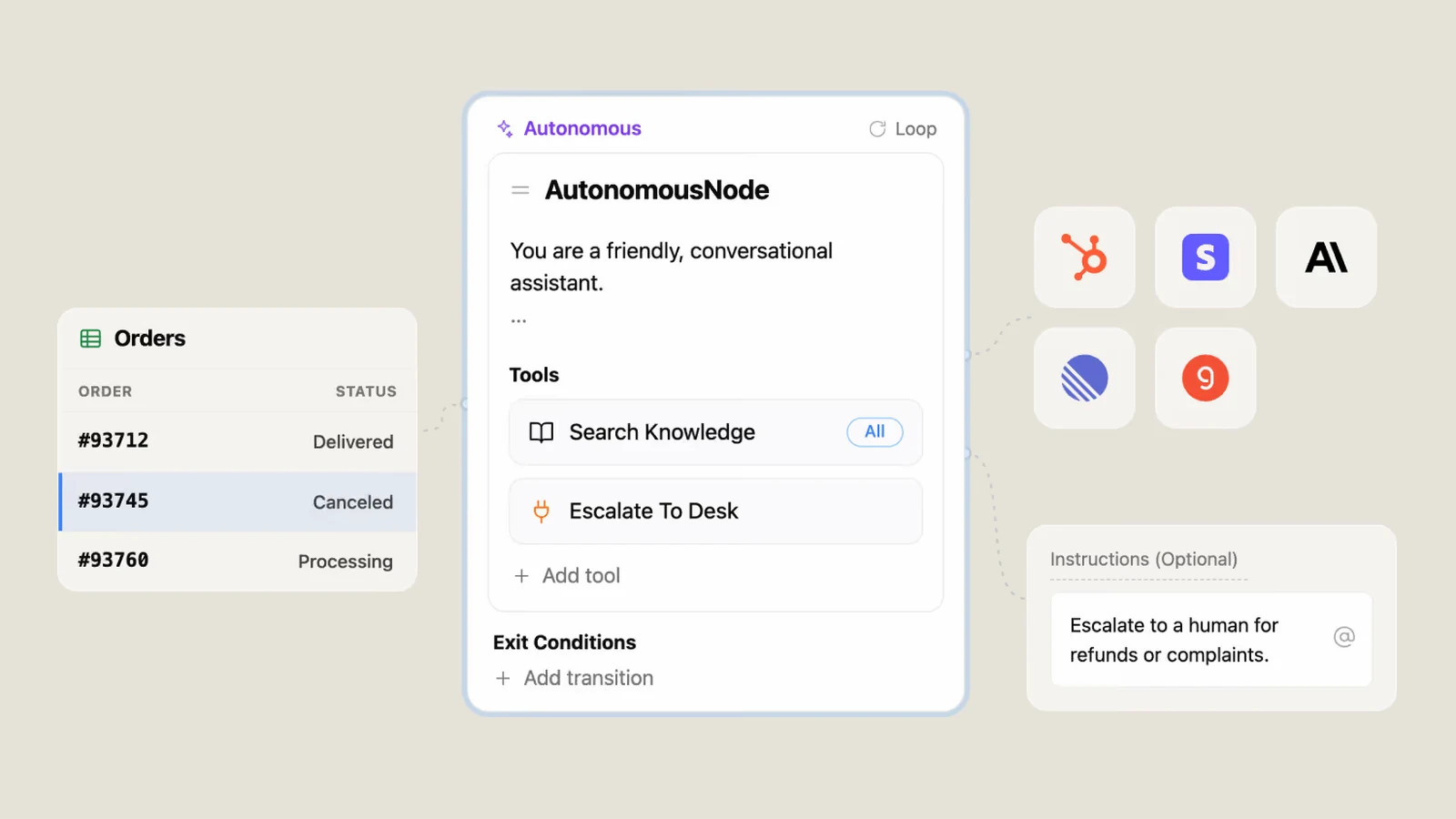
Most of those tools come from integrations. An integration wraps a third-party API in typed actions, and every action shows up in Studio as a card. The agent can call the card, or a builder can drop it into a workflow.
Botpress Desk is the newer product, a support inbox where the agent and the human team share tickets. I worked on Desk's analytics and on the integration catalogue.
Jira integration
Seventeen Jira actions an agent can call
Every new hire at Botpress builds an integration first. Mine was Jira. Most people take two to three weeks on theirs. I shipped mine in five days.
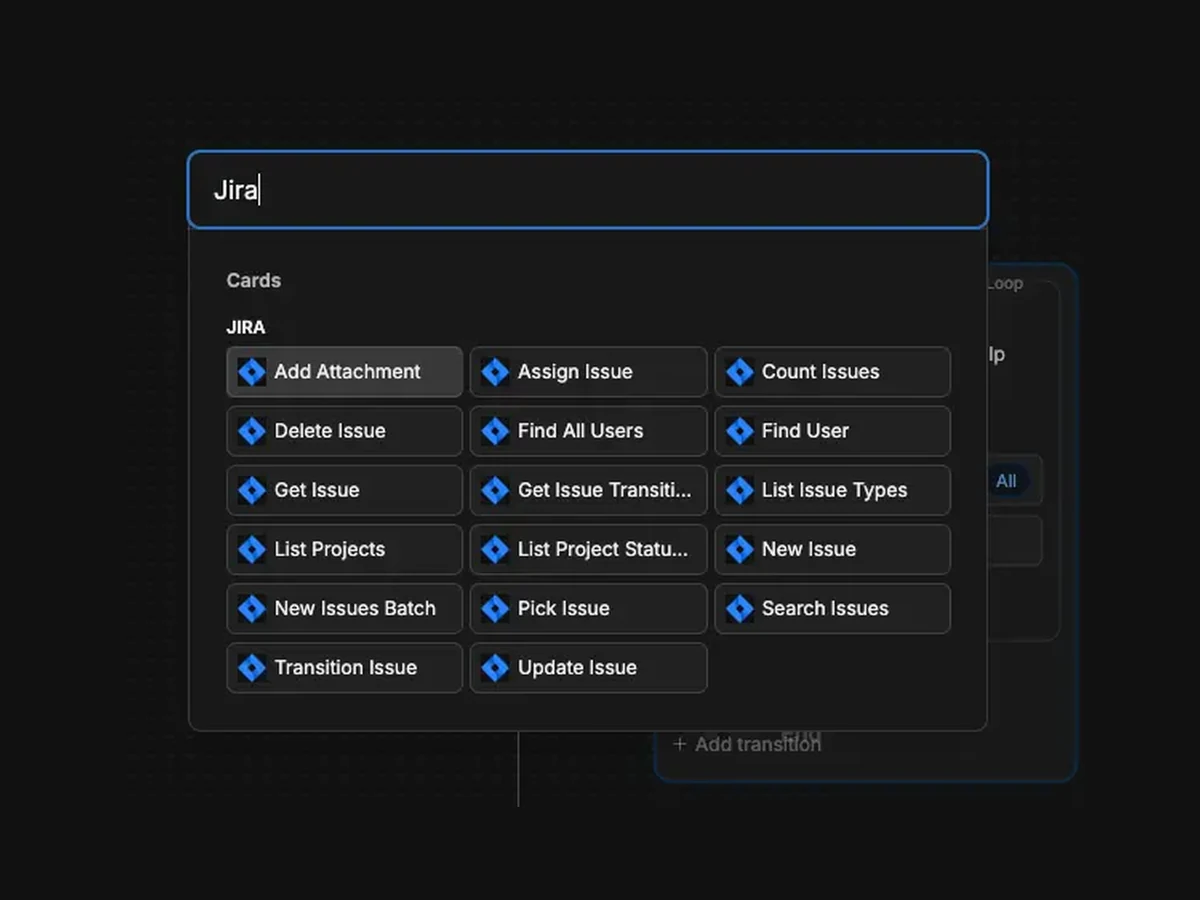
It exposes 17 actions as cards. Issues search, count, pick by free text, get, create, batch-create up to 50, update, assign, delete, attach a file, list transitions and apply one. Projects list projects, statuses and issue types. Users find one or list all. Comments go through a separate issueComments channel, so a message the agent sends lands on the issue as a comment.
Search uses Atlassian's POST /rest/api/3/search/jql, which took over from /rest/api/3/search when Atlassian retired it in May 2025. Pagination is cursor-based, so searchIssues hands back a nextToken, and countIssues is there for when all you need is the total.
Every project has its own workflow, so the agent can't hard-code a status. It calls getIssueTransitions to get the IDs that are valid for that issue right now, then passes one to transitionIssue.
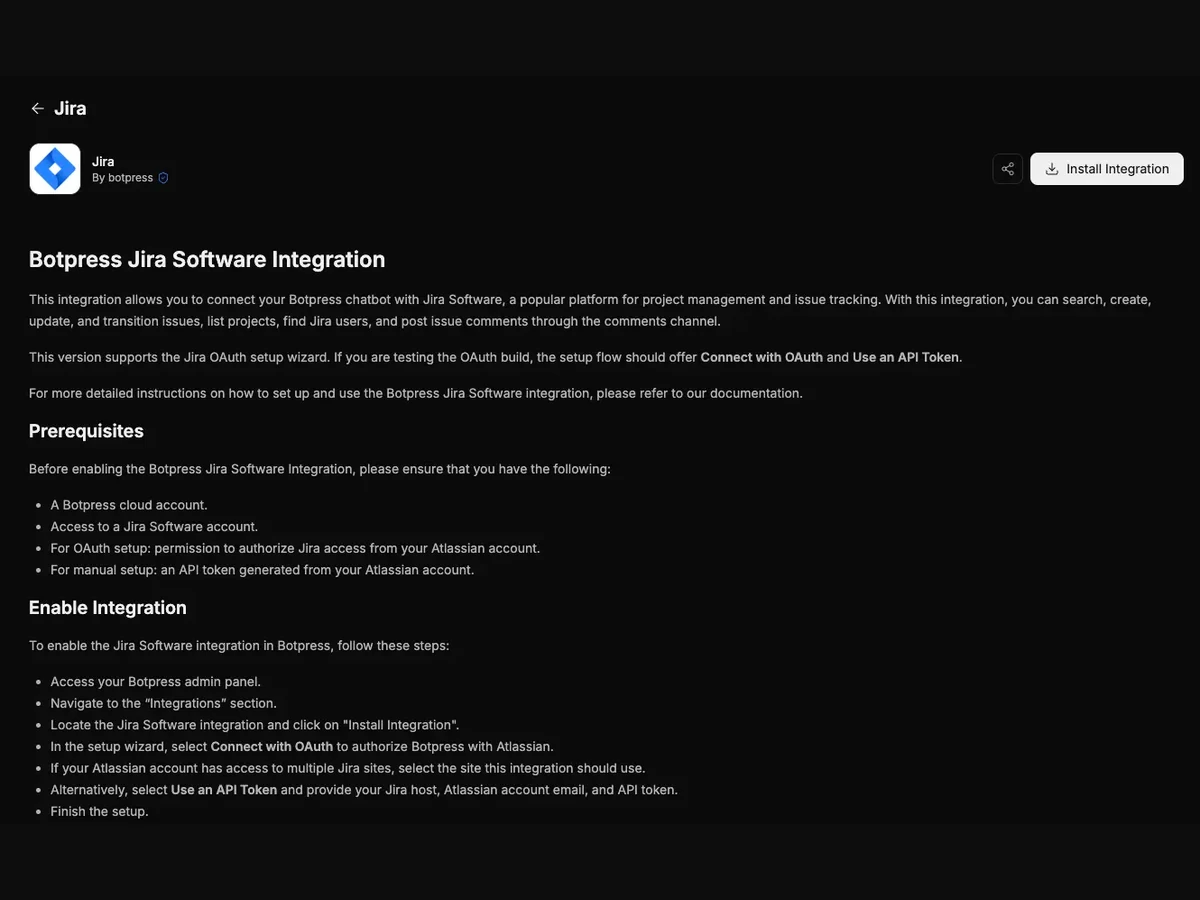
Later on I built the setup wizard. You pick Connect with OAuth or Use an API Token. OAuth runs Atlassian's consent flow, and if your account can see more than one Jira site, the wizard asks which one you mean. The token path just takes a host, an email and a token. Every action and config schema is typed with Zod, so the editor caught a wrong field before I ever ran anything.
Topic Insights
Desk's analytics, built end to end
In my first week, with Jira done, my lead handed me Topic Insights for Desk. It groups a workspace's support tickets into topics, so a team can see what customers are reaching out about, how happy they are, and whether each topic is growing.
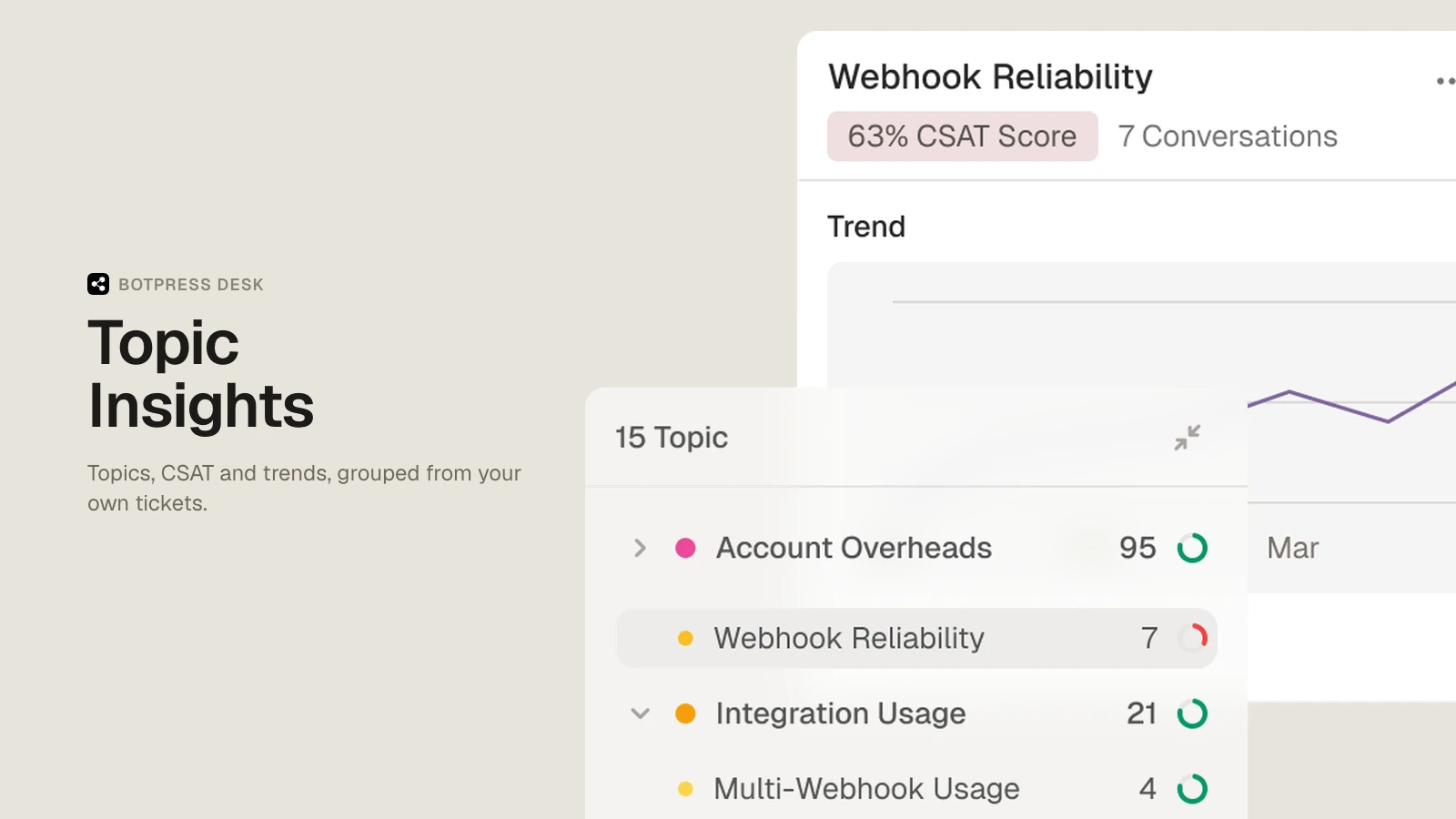
Each topic shows a ticket count and a CSAT ring. Click one and a side panel opens with a summary of its tickets, the CSAT score, a trend line and the actual conversations, so the team can act on it right there.
I built the whole thing: the Prisma schema, the cron jobs, the API routes, the AI inference flows, the gating and deduplication logic, the frontend, the tests and the docs.
How topics form
Topics come from your own tickets, not a fixed list
Botpress doesn't ship a list of categories. Every topic comes out of the workspace's own tickets, so a billing-heavy SaaS and a shipping-heavy retailer end up with completely different topics.
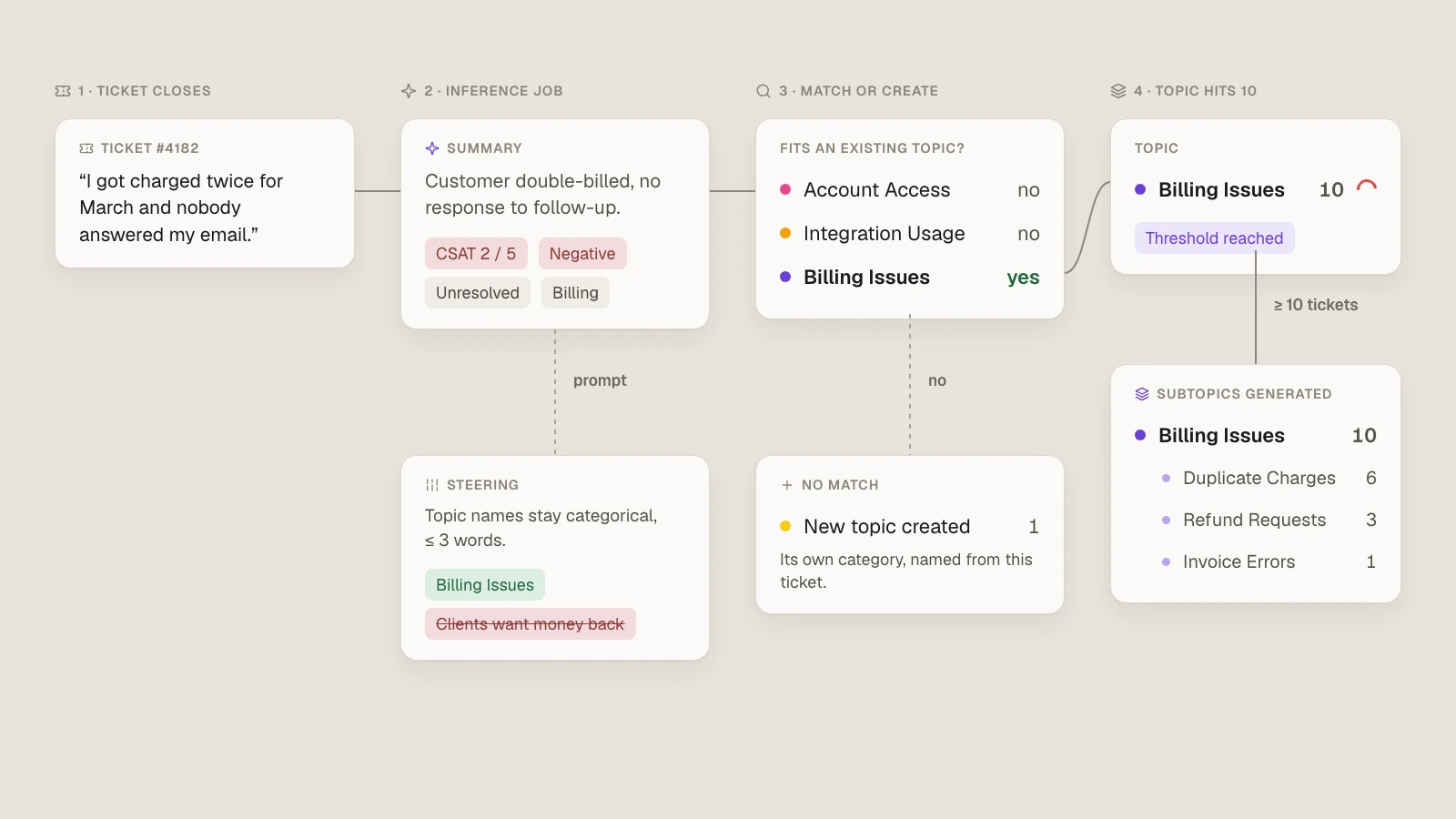
When a ticket comes in, an inference job summarises it and scores it on CSAT, sentiment and resolution. The prompt keeps topic names tight: a few words at most, and a category, not a description. A pile of refund tickets becomes Billing Issues, not Clients are requesting money back.
The first tickets in a workspace seed the first topics. After that, each new ticket gets checked against the existing topics one at a time. If it fits one, it joins it. If it fits none, it starts a new topic.
Once a topic hits 10 tickets, a second job splits it into subtopics, like Duplicate Charges and Refund Requests under Billing Issues. That check runs on every new ticket, so the tree keeps getting deeper as tickets come in.
Queues
One paid inference per change
Ticket events were triggering the AI jobs directly, and the jobs depended on each other: A triggers B and C, and D needs both. At production volume, one change could fire the same inference job several times, a failed job just disappeared, and a dependent job could start before its inputs existed.
Every duplicate run paid for LLM tokens again, so the bill grew with ticket volume even when nothing new was being learned. And the dropped jobs left topics stale.
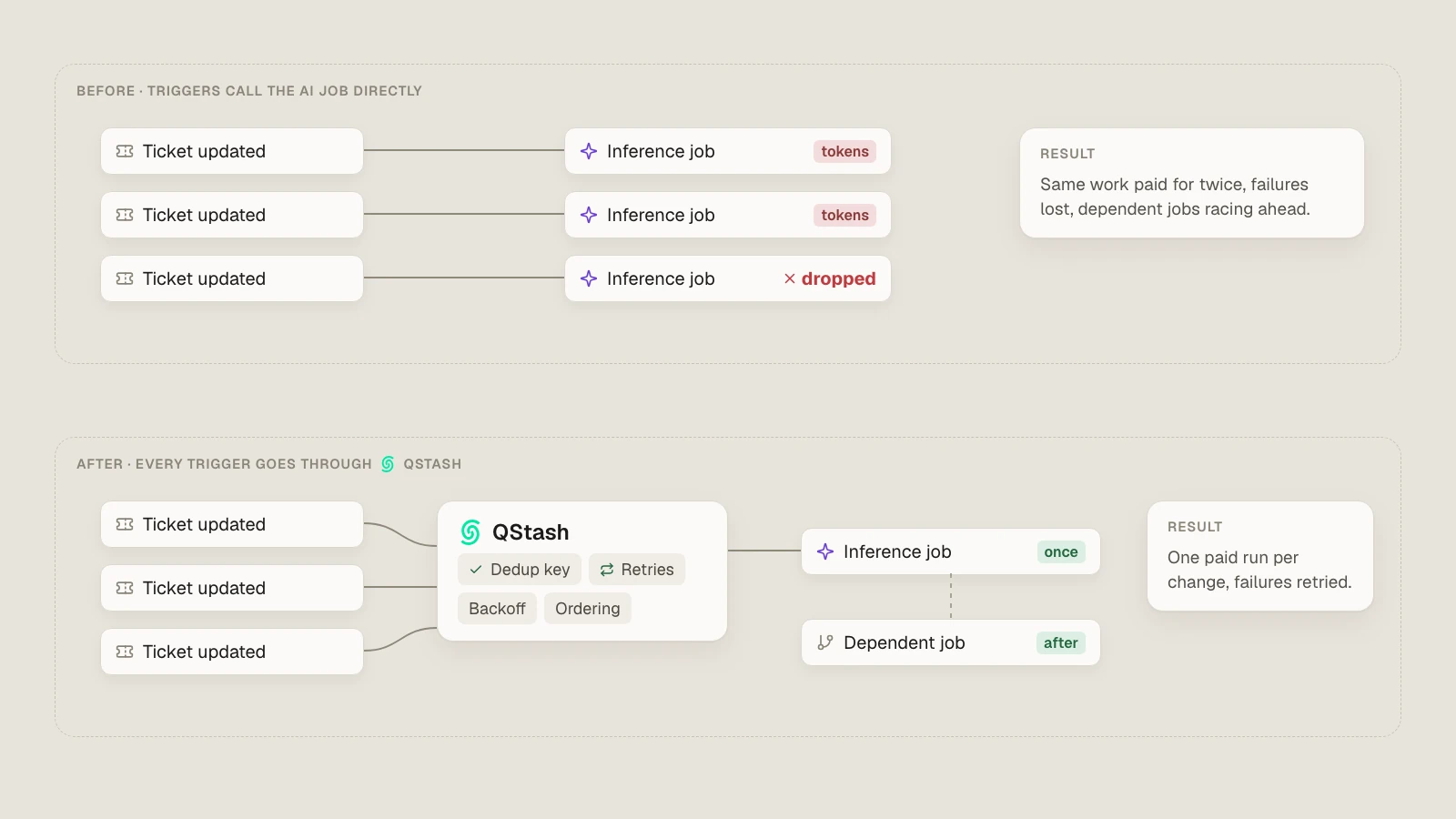
My lead and I mapped out the flow and put Upstash QStash between the triggers and the jobs. Each message gets a deduplication key, failed jobs retry with backoff, and dependent jobs wait for the jobs they need. Now each change pays for exactly one inference run.
While we were mapping it, we found other trigger-driven jobs with the same problem, so those went onto the queue too.
What I learned
Good tooling is what lets you ship fast
Shipping fast isn't the same as shipping sloppy. What kept the speed safe was typed schemas that fail in the editor, and infrastructure like the queue that catches failures instead of dropping them.
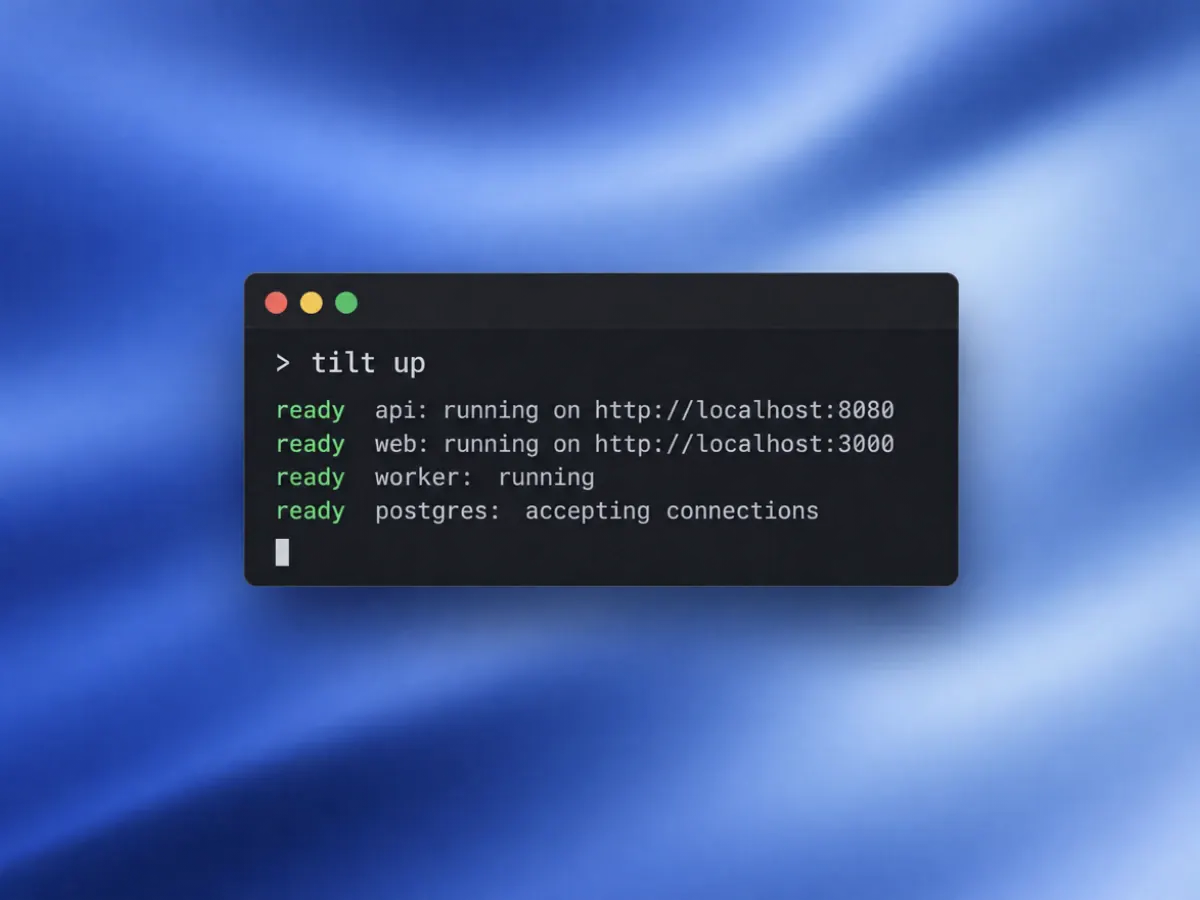
Tilt runs the whole local stack (containers, Kubernetes, rebuilds, logs) from one tilt up. Everyone runs the same config, so "works on my machine" pretty much stopped being a thing.
In three weeks, I got to work across the backend, frontend, infrastructure and AI pipelines of a product that was still being built.